

0015 00
TM 1-4920-440-13&P
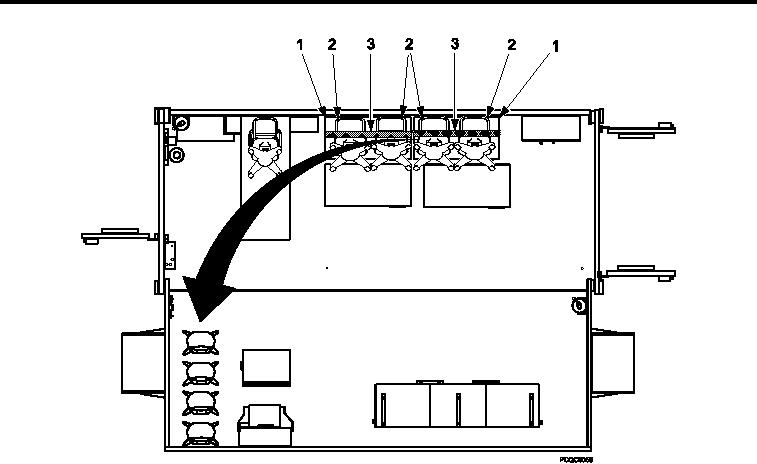
POSITIONING CLERK ROTARY CHAIRS FOR OPERATIONAL MODE
Figure 1.
Unsecure Clerk Rotary Chairs.
1.
Remove two cargo straps (Figure 1, Item 3) from four clerk rotary chairs (Figure 1, Item 2) located on top of
two clerk desks (Figure 1, Item 1).
2.
Position four clerk rotary chairs (Figure 1, Item 2) at preferred location.
3.
Store two cargo straps (Figure 1, Item 3 ) in secure storage location.
END OF WORK PACKAGE
0015 00-2